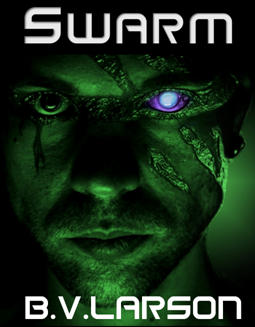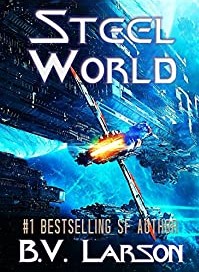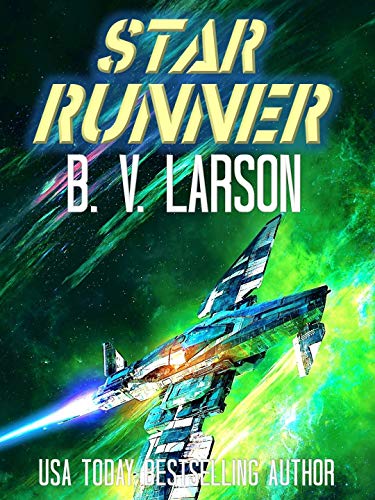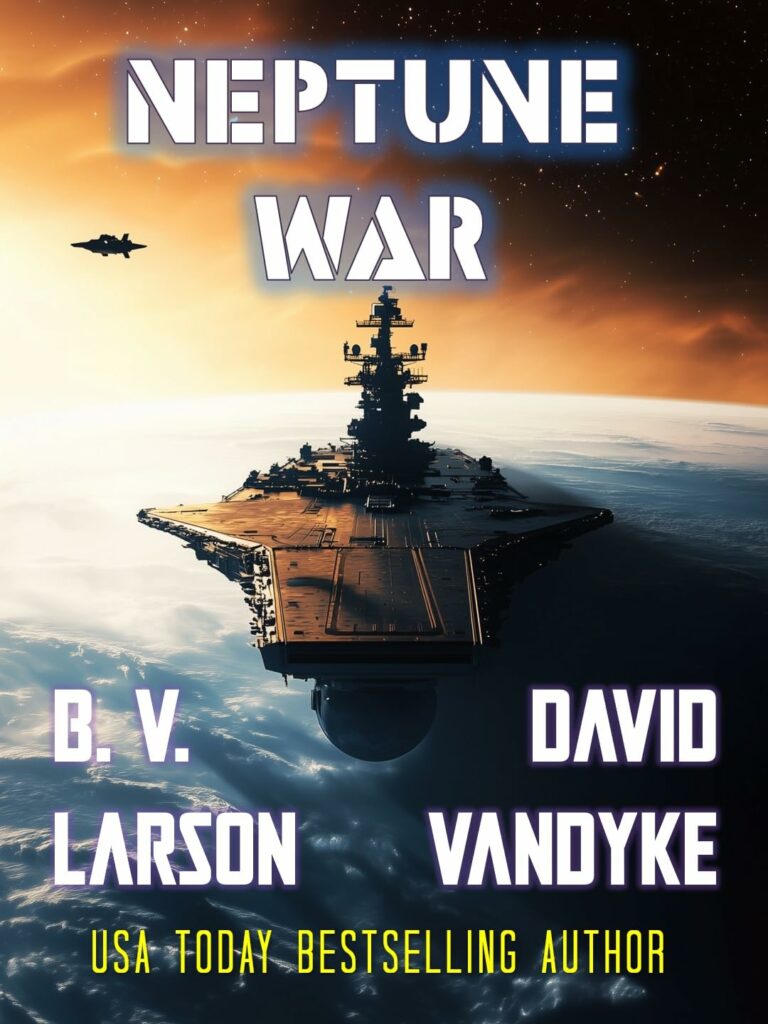
The Black Ship by B.V. Larson—A human settlement on the deadliest planet ever colonized clings to life … but today new invaders are coming down from the stars.
Three novellas of future combat in one volume by the masters of military SF. Each tells the story of a planetary invasion by men on a do-or-die mission.
"An Army of One" by B. V. Larson (a novella in the Star Force series) – One man attempts to stay neutral…and fails. The Macros are invading from the skies. The only nanotized man who isn’t officially part of Star Force learns how hard it can be to avoid an interstellar war.
"First Conquest" by David VanDyke (Book #1 of the Stellar Conquest series) – In 2115, EarthFleet sends its best warships and bravest Marines on a one-way trip to conquer an alien star system, to win or die trying.
"Cyborgs!" by Vaughn Heppner (a novella set in the Doom Star series) – The Space Marines are in the Oort Cloud, racing in their insertion pods to the frozen planetoid of Tyche. Alone in the dark, outnumbered and outgunned by the cyborgs waiting for them on the methane-ice surface, the hour of desperation has arrived.
When a huge alien spacecraft crashes on the island of Cuba, the world scrambles to investigate.
Secretive organizations have waited for generations for this opportunity, and they do not hesitate to send in recovery teams. Cooperation between nations breaks down as every government wants the newly discovered technology for themselves. Naturally, the Cubans have beaten everyone else, and the island is beginning to change. Aircraft flying reconnaissance are swatted from the skies. Commandos can’t make a landing on the beaches without being annihilated.
Malena Marin is a new XCU agent with special abilities. She’s sent with a team of veterans on a mission to secure the landing site or die trying. Unfortunately, the enemy knows they’re coming.
As the conflict grows and turns increasingly violent, the aliens themselves enter the game. And they have plans of their own…
When twentysomething Jacqueline Swanson mysteriously goes missing in Las Vegas, supernatural crime investigator Quentin Draith is hired to investigate. Determined, Draith immerses himself in the darkest corners of the city’s underworld, unveiling a string secrets and bizarre deaths.
The deeper he digs, the more otherworldly his assignment gets. Assassins, human and otherwise, put a target on Draith’s head. An old foe ignites a storm of mad science. And a ravenous beast rampages through the city.
The clues point Draith to Sin City’s infamous “Bone Triangle,” a neighborhood marked for its dark happenings and disappearances. And when Draith finds that the daughter’s disappearance may be linked to an alien plot against the city, he goes all in to make a final high-stakes play to save the city he loves.
I don’t often post what amounts to a “blog-entry” but the last few weeks have been very eventful. In July I did an interview at Lab126, a growing facility in Cupertino where Amazon invents new kindles. About 800 engineers showed up to meet me, and I told them what it was like to be a kindle-author. They’d never had the chance to see their device through the eyes of a writer. I was impressed when the audience was asked for a show of hands: “who has been with working here for less than a year?” Most of the crowd raised their hands. The growth has been stunning, demonstrating Amazon’s commitment to the kindle. I let slip that I had an Ipad in my backpack, and they threatened to call security (jokingly).
Another prophetic moment came when they asked what I would like to see in a new kindle, and I listed “good sound, a bigger screen and 4G service”. Little did I know at that point these features were all to be displayed some six weeks later, when I was invited to be on hand at the official unveiling of the new kindle line-up.
The press conference kicking off the new kindles was a whirlwind event for me. Amazon invited me to fly down to Santa Monica, a ritzy beach town near Los Angeles, to witness the announcement of the new kindle line for 2012. As always, the Amazon people made the best of hosts, and really wished to honor their writers. They paid for everything, and made sure it was first-class. They made a point of telling me that unlike traditional publishers, they viewed the book industry as consisting of Writers and Readers. Everyone else was a middle-man, and must justify the role they were attempting to play. Amazon clearly would like to be the sole entity between Readers and Writers, and so far they are doing an excellent job of it. There is no service they aren’t interested in performing eventually.
(Authors Tina Folsom and Sarah Burleton, checking out the Paperwhite Kindles)
(Hugh Howley, author of Wool)
The purpose of the press conference (other than two nights of drinking, gabbing and dining with a dozen important people from Amazon and about 20 authors) was to announce the new kindle line-up. I had the opportunity to fiddle with them all first hand, and I was duly impressed. The top of the line unit, shipping on November 20th, caught my full attention. I’ve been looking for a new tablet with 4G, and I’ve been less than thrilled with the new Ipad. I don’t like the weight, shorter battery life, high monthly charges and the fact that it heats up under heavy use. The top of the line Kindle seems to do the job for about half the price.

(Authors: Ray Bean, B. V. Larson and Barry Eisler)
What can I tell you about the new Kindles? I’ve read a few articles online, and I’m going to try to tell you some things that I haven’t seen pointed out often elsewhere.
1) Much emphasis was placed on the refinement of technology in the various units. I was impressed by the paperwhite kindles, which have touch-screens, higher contrast, faster paging, and internal lighting with less glare (they are not backlit, but instead have an internal light source that is easy on your eyes for night-reading). Another region of functional improvement was in the area of Wi-Fi support. Using MIMO, multiple antennas and other tricks they boasted improved performance and better reception (more bars). Another nice touch was the estimated time to the end of the chapter you are on and the book itself (the new kindles track your reading speed).

2) Secondary to the refinements were some true innovations. The software was tied up to various online databases, allowing seamless integration with other data sources. This was cloud computing at its best. For example, if you buy a book in both audio and digital form, it will track your spot in the story as you switch from listening to your book in the car to reading it on the kindle. Down to the word. There was much more than that, however. The “X-ray” system lets you look behind the scenes of movies and books. If you pause a movie, it will look up the names and backgrounds of the actors on the screen (from IMDB) and tell you about them. If you tap X-ray in a book, it will show you every character in the story, bring up their descriptions and histories, and allow you to jump to any point where that character did something (for example, where they were introduced).


3) Lastly, and possibly most importantly, Amazon is doing more for less. They provide their units for around half the price of comparable ones. Their 4G service costs $50 a year, rather than $25 a month, and their whispersynch downloading 3G is still free.

Final Note for trivia freaks: where does the name “Lab126” come from? Notice the Amazon logo. There is an arc drawn between the A and the Z…the first letter in the alphabet and the last. The 1 therefore stands for “A”, while the 26 stands for “Z”. It verges on a cool illuminati conspiracy theory, but I swear that’s what they told me!


Out along the rim of the galaxy hangs a loose configuration of some sixty stars known as the Faustian Chain. This whorl of sparkling suns is rich in planets and occupies an irregular volume of space some twenty lightyears in diameter. From an external viewpoint, the Faustian Chain presents a colorful display of plasma-streams, luminous nebulae and sparkling pinpoints of light.
The human colonists who settled the Faustian Chain were aware the region had recently been populated by other species—beings that had all but vanished after waging devastating wars thousands of years in the past. Little was known of them, but certain areas in which their artifacts still persisted were proscribed by interstellar law....
MECH ZERO is a novella set at the beginning of the Imperium Series. This story is a prequel to the outbreak of war. The series involves early human colonies in a region of space previously occupied by a vicious alien species.
Another friend of mine and fellow author of Military SF is Vaughn Heppner
Here's an article by him concerning the origins of story ideas:
How do you get your ideas? That’s a common question. Another is, once you have your idea, how do you spin it into a novel?
Personally, I think good ideas are gifts that bubble out of your subconscious. If you want to write good SF, read tons of SF. Eventually a cool idea will bubble up from your seething unconscious, one that tickles your fancy enough that you want to write about it. The trick is in capturing the idea, knowing that you have something good. Sometimes the ideas don’t even bubble up. You read them in a story. I recall reading a book where the author casually tossed off the idea of slinging asteroids around Jupiter and raining them at Earth. The idea fascinated me, and the author hardly touched upon it other than for a few paragraphs.
I took that idea of attacking with asteroids and wrote Planet Wrecker, and it sold well enough to pay my family’s groceries for a year.
The secret is in finding something that tickles you and then playing with it for a while and see what you see.
I have a new novel out called: The Darkling. As I kid, I used to work for my dad on Saturdays. I remember having to tear a door out of really long grass. This door had chicken wire and the grass had grown through it. I can still hear that ripping grass. And I remember how hard it was to yank up. One day I thought about a knight lying in grass like that, with the blades growing up through his chainmail. I realized the knight would have had to be lying there a long time. It was so long, he’d have to be dead. So why does he sit up? That got me to thinking, and that thinking turned into my latest novel.
Another time during a long car ride, I thought about a person named Grumble Snoot. The only bubbling I received this time was his name. What kind of person would be named Grumble Snoot? After some careful thought, I realized it would be a grumpy leprechaun-type person who loved pilfering from big people. I wrote a short story called “Grumble Snoot” that sold to Sword & Sorceress long ago and later made it into my e-book Stronium-90.
Ideas are everywhere, in life, in books, in movies, even in the Bible. My Lost Civilization Series came from there. The Tree of Life in Eden with a cherub guarding it with a flaming sword…. What if bad guys tried to storm past the angel so they could eat from the tree and live forever? Whoa, wait a minute. The early chapters of Genesis tell of Nephilim, who seemed to be half angel and half human. They would have the power to try something like that and the inclination. In such a way the series was born.
I think asking “what if?” helps. Sometimes combining what ifs can produce an interesting idea. I thought about a time traveler wanting to speak with Socrates. For some reason, I also thought about a gorilla with cybernetic implants trying to assassinate a man. I put the two ideas together and my time traveling gorilla with cybernetic implants is trying to understand the nature of man. He’s working for robots after a future disaster that has wiped out humanity. The gorilla ends up speaking with Socrates. For two days before writing the piece, I read the Dialogues of Socrates as written by Plato. I wanted to try to capture Socrates’ voice. The story was called “The Dialogue of Kong and Socrates.” It won a Writers of the Future contest and later made it into my short story collection.
That wasn’t bad for a few days musing. Some people call such musing daydreaming. It turned out that daydreaming was far more practical than my teachers tried to make me believe. Talk about sweet revenge, but that’s another matter.
One of the most wonderful things with the E-Book Revolution is that you can literally write whatever you want, and then you can put it up. There are no more publishing house gatekeepers. Find out what you love to write, and write it. Jot down ideas that strike your fancy. Think about them and then try writing about what you think. I have, and it has changed my life. Maybe it can change yours, too.
Wayne Wightman, a long time friend of mine and my original creative writing professor, has had great success with his bestselling science fiction post-apocalypse adventure SELECTION EVENT.
I asked Wayne to write an essay on the topic of writing, and here it is:
E-Z Quik Novel Writing
Writing a novel is an intimidating job. It's hours and hours of living inside your head, keeping track of 600 details, and trying to be interesting to strangers. Anything to make it easier is good. Consider this option: I have a friend who writes novels in this interesting non-standard way. He writes a screenplay, sends it to his agent to market, and in the meantime turns the screenplay into a novel.
Several years ago, I was going to become wealthy by writing screenplays. That was a bit of foolishness I had almost forgotten until I thought about my friend's screenplay-to-novel method. I pulled out Metamind, gave it a re-read, and realized this might not be such an overwhelming job. It wasn't. Thus Metamind came into existence.
A screenplay gives the simplest indications of setting [Forest.] and action [They fight.]. The rest of it, 98%, is dialogue.
So Metamind already had the story and all the dialogue. What remained was to insert the settings and actions, smooth and adjust. It was far less than half the work that writing the whole thing would have been. Now, I know people usually don't have miscellaneous screenplays lying around, but you can try the next best thing:
In the sequel, Metamorph, the first draft is essentially a screenplay—it's 80% dialogue with only bare-bones description and action. Doing it this way gets the plot nailed down, establishes character movement, all the character psychology, etc. Then the first, second, third, and nth revisions, I'll layer in the necessary pieces.
By splitting up the work this way, after the “screenplay” first draft is laid out, you can better see the whole thing for the first time (in part because it's a lot shorter) and make whatever adjustments need to be made without having to rewrite all the accompanying description and action. If, say, you want to shift a scene from a city sidewalk to the edge of a volcano, with this method, you don't have to toss out and rewrite three pages here and two pages there; you insert it on the first revision and all the dialogue stays more or less the same.
At the very least, if you just think “Minimize action and description,” you can get the first draft laid out much more quickly—and a functioning first draft, as we all know, is the Biggest Prize.
Give it a shot. See if it works for you.
Thanks for the advice, Wayne, I have two SF screenplays by chance on my hard drive...maybe they will become novels someday soon!
-BVL
(Below is the text of my Post, my "EBook Story")
The Past:
My ebook odyssey began in April 2010, when I rediscovered Joe’s blog (thanks again, Joe) and read about how well he was doing on Amazon. I decided to give it a try after many years of firing blindly at New York.
I’d been successful in non-fiction (have a textbook series), but I’d never managed more than a few pro short story sales in fiction. I’ve actually had three agents and many “rewrite this” and “almosts” with editors.
When I started ebooking I’d never laid eyes on a Kindle, but by the end of May I had two books up and 7 big sales. Things grew rapidly from there, and over the last six months I've had over 100,000 PAID ebook sales, including 26,000 in December and 38,000 in January. Most of these sales were for $2.99.
I did it all without a fan-base or a web-presence. I had nothing going for me other than determination, a pile of unsold manuscripts and a willingness to adapt.
My point is: Indies can succeed.
The Present:
In January, Amazon made me their first "Featured Author" in the new DTP newsletter. I've had a few calls from publishers and the like, but I've stayed completely independent thus far. I’m not philosophically opposed to working with traditional publishing. I take a business-like view: if someone can convince me that signing a deal with them is worthwhile, I’ll sign it. This is best done mathematically, however, not with slogans and promises of glory.
On the personal side, no one is more stunned by my success than I am. In truth, I’m feeling my way through this new universe. I feel like it’s 1993 and I just figured out how to make a website. The world is wide open at this point.
The Future:
Things are very likely to become dramatic in this industry. I seriously see the current publishing structure as unsupportable. Tech has a way of doing that (look it up in an econ book, it’s called “creative destruction”). There is bound to be a period of turmoil when new business methods are applied. Hardest hit will be those who can’t adapt, like silent movie stars trying to find work in “talkies”. Or like radio stars trying to make the transition to TV. Writers and actors were once paid a salary by movie studios. Things change.
By 2020, I would be very surprised if printed materials weren’t the exception, rather than the rule. If you don’t believe me, take a look at that MP3 player in your pocket and ask yourself how many CDs, cassette tapes or 8-tracks you’ve bought lately.
Logically, the most indispensable individual is the creator of the content in any industry. Authors are the factories, and therefore we are the one thing that can’t be eliminated. Who was that publisher who famously said: “This would be a great business if it weren’t for the authors”? Such attitudes must be rethought.
The two things you have to have in this business are the author and the reader, so the real stress will fall on the packagers and distributors in between us. My goal is to stay calm and focus on my work. I’m only concerned about my readers. If I keep them happy, they will keep me happy.
Advice:
There are a thousand useful pieces of advice right here on this website. I won’t repeat them. But I will tell you my guiding light: writing is all about the reader. I never sit down and start out thinking about “what I’d like to write.” I start out with what I’d like to read. I’m even more interested in what others would like to read. I think about the reader all the time—where they are in their minds, where they want to go next—then I write until they get there. Writing is not about me. It’s about my readers.
JLH: What’s the key to your success?
BVL...
JLH: What are you working on right now?
BVL...
Click HERE for the full interview!